Operating system
Windows
Joplin version
2.14.19
What issue do you have?
App not opening in Win 10. Have to reboot then slowly works.
Joplin 2.14.19 (prod, win32)
Client ID: 1fbda4d84b61480cb5585e5e16bbc769
Sync Version: 3
Profile Version: 46
Keychain Supported: Yes
Revision: 971c4e5
Simple Backup: 1.0.3
Does enabling safe mode help?
To turn on safe mode,
- Click
help
- Click
toggle safe mode
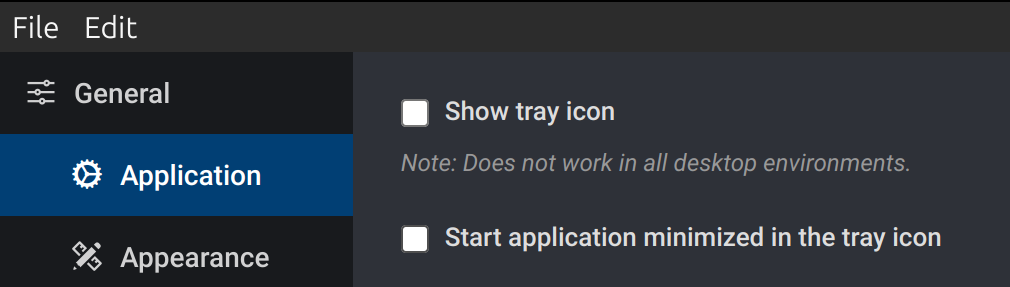
If that doesn't help, try disabling "show try icon" and "start minimized in tray icon" in settings:
Thank you. Certainly opens very quickly in Safe Mode. Changed back and is opening. So problem does not happen every time.
Will look at tray icon if problem persists.
Keith
Use Task manager to check that any other app is running in background that may put load on your system.
I've upgraded to:
Joplin 2.14.20 (prod, win32)
Client ID: 1fbda4d84b61480cb5585e5e16bbc769
Sync Version: 3
Profile Version: 46
Keychain Supported: Yes
Revision: cfd98e3
Simple Backup: 1.0.3
Bit slow opening on first time of the day. Will check task manager tomorrow.
All is working just a bit slow opening on the first time of the day still.
I do not consider this a real problem for me. I close the app on the X as opposed to QUIT.
I really rate this app. Thanks to all involved.
Keith