Joplin 3.4 includes many bug fixes and improvements, with a focus on the mobile app.
Mobile
Rich Text Editor
The mobile app now includes a beta Rich Text Editor! The new editor renders formatting/math/images within the editor:
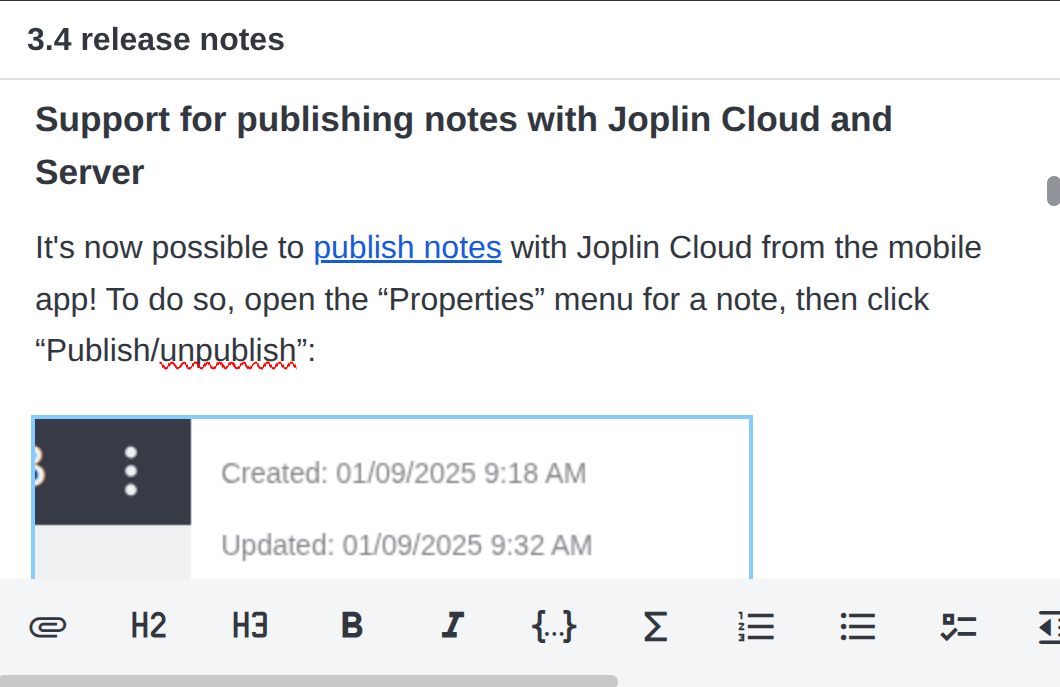
To try it, 1) open a note in the default Markdown editor 2) open the note actions menu (the three vertical dots) for the note and 3) click “Edit as Rich Text”.
Be aware that this editor is still in active development and has a number of known limitations and issues. The Rich Text editor is based on ProseMirror and will behave differently from the desktop Rich Text Editor in many cases.
Support for publishing notes with Joplin Cloud and Server
It's now possible to publish notes from the mobile app! To do so, open the “Properties” menu for a note, then click “Publish/unpublish”:
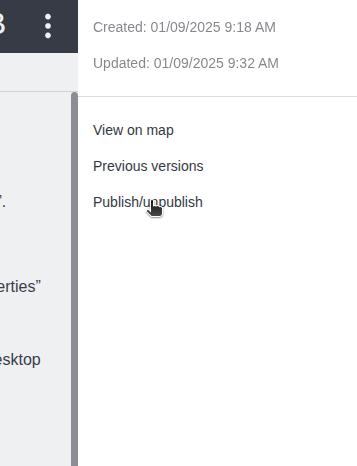
Next, in the “publish note” dialog, click “Copy shareable link”. Notes can later be unpublished by clicking "Unpublish" in the publication dialog.
Viewing note history
It is now possible to view and restore previous note versions from the mobile app. Like the "publish note" feature, previous note versions can be accessed from the note properties menu.
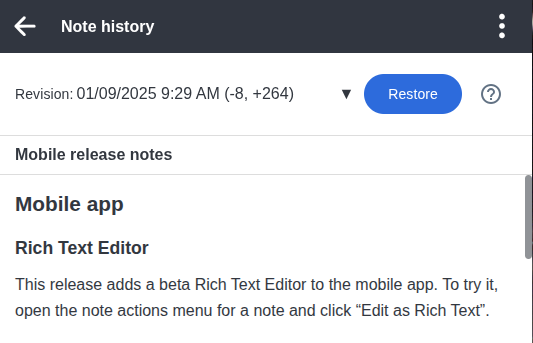
As on desktop, the note history feature can be configured from the “Note History” tab in settings.
Updated tag dialog
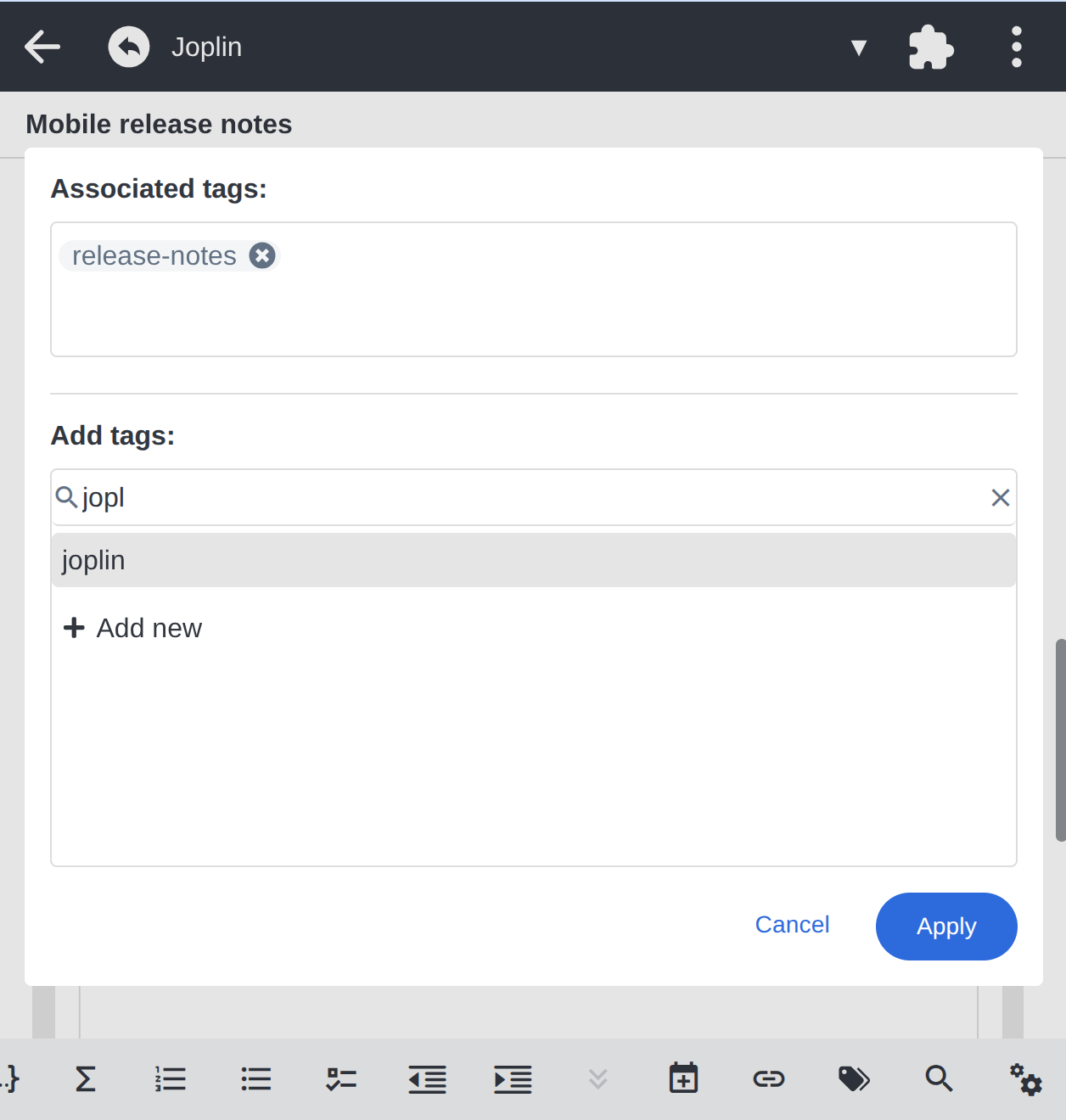
The tag dialog has been redesigned, with a new UI for adding, removing, and creating new tags:
Android: Improved voice typing
The voice typing feature on Android has been updated with improved silence detection and a new “custom glossary” setting. Voice typing also now defaults to a more accurate (but somewhat slower) model.
Quickly creating a note from multiple photos
A “scan notebook” action has been added to the “New note” menu:
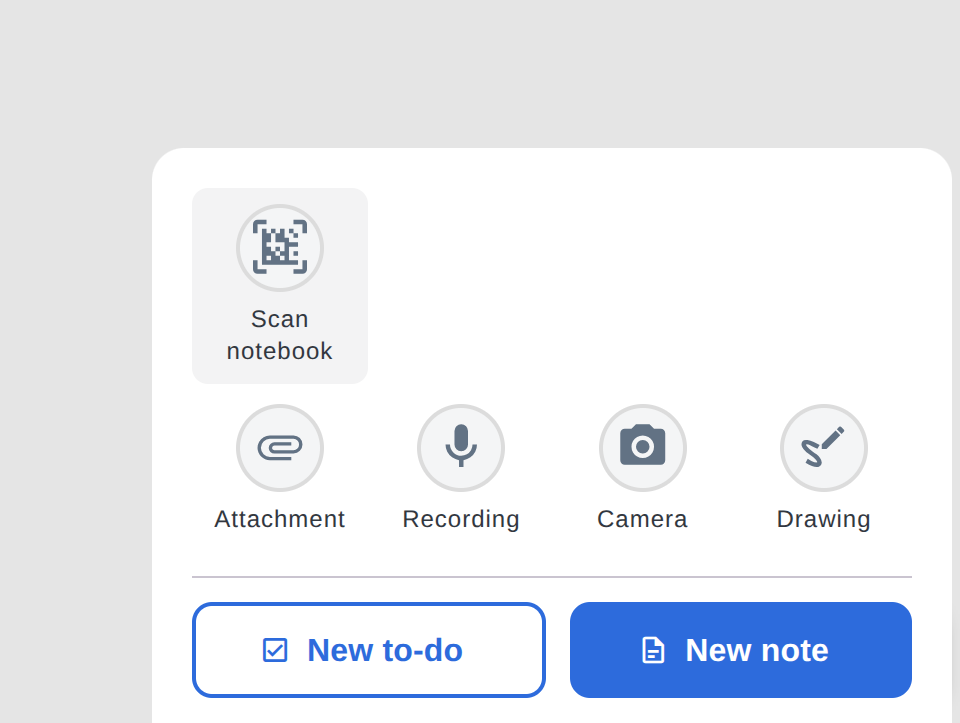
This action allows quickly creating a new note with multiple pictures taken from the camera.
Desktop
More Markdown Editor settings
The "Note" tab in settings now includes new settings for the Markdown editor, including:
- An option to render headers, lists, and certain other formatting within the editor.
- An option to render images in the editor.
When enabled, these settings bring the Markdown editor closer to the Rich Text Editor, without some of the Rich Text Editor's limitations.
These settings are also available on mobile.
Smaller application size and faster startup
We've made the desktop application roughly 33% smaller! In addition to faster application startup, this means that the desktop app should be faster to download take up less space.
| Joplin version | Previous size (v3.3.13) | New size (v3.4.12) |
|---|---|---|
| Joplin for MacOS (ARM) | 211 MB | 141 MB |
| Joplin for Windows (installer) | 321 MB | 219 MB |
| Joplin for Windows (portable) | 320 MB | 219 MB |
| Joplin for Linux (AppImage) | 219 MB | 147 MB |
Terminal app
Collapsible folders
The terminal application now supports expanding and collapsing folders by pressing z. For additional information, see the original pull request.
Managing shared notebooks and published notes
New commands have been added to the terminal app, including publish, unpublish, and share. This allows the terminal app to manage shared folders and published notes.
Bug fixes
For the full list of changes, see the desktop changelog and the mobile changelog.

