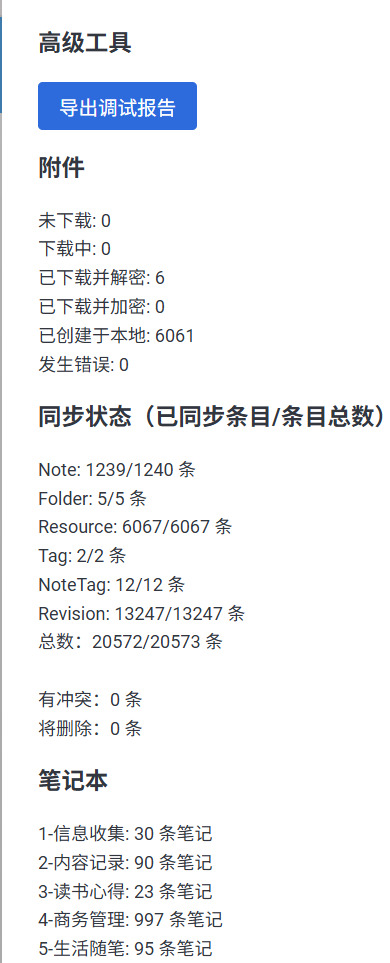
As the screenshot, It seems sync finished but got error “FetchError: Response timeout while trying to fetch …” . I restart desktop app. It still got the sane error. However, I can log in my server. It seems my server is ok.
WebDAV is likely to be slower and less efficient in terms of resource usage, so if those errors are caused by a lack of resources (ram, cpu, etc) then you might have the same issue.
But also there's something off with your setup. Getting a full connection pool if there's only you on the server is pretty much impossible. Is your server accessible to the internet? Did you check the server log, is there anything unusual?
Or maybe your database needs to be upgraded to something a bit more performant?
My server is for my personal use only, and it's accessible via the internet, since I need to use it when I'm away from home!
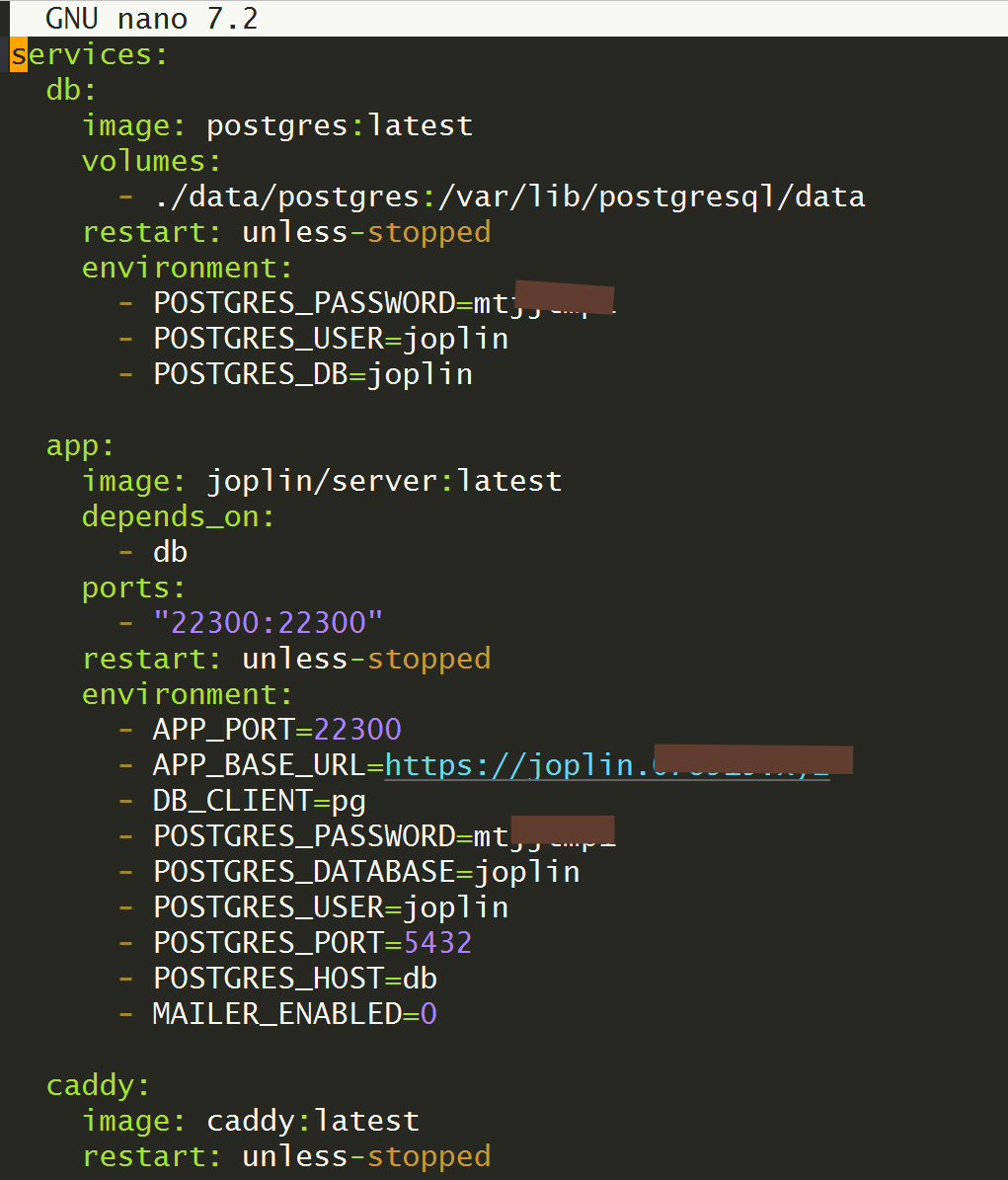
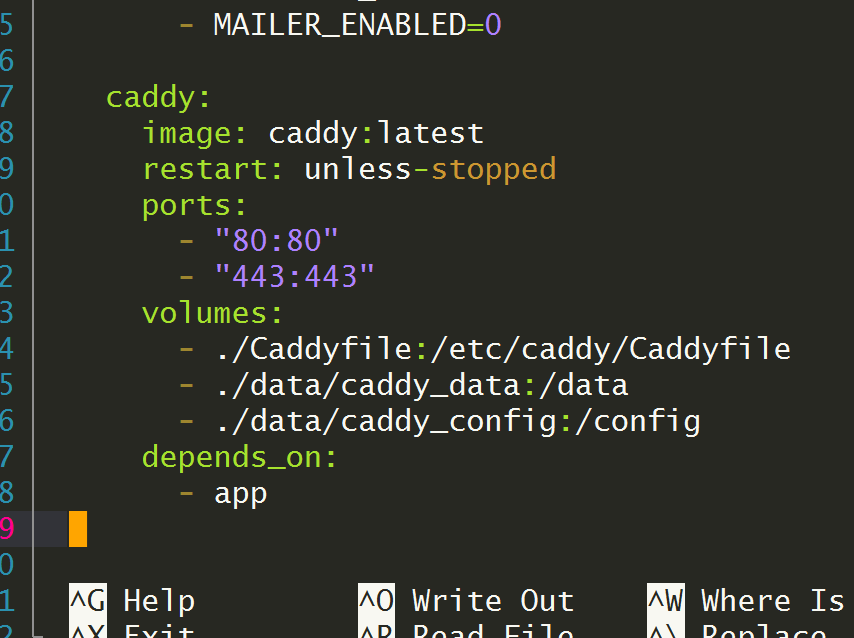
The official Joplin image comes with a built-in postgres 16. I haven't made any modifications, and I don't understand the relationship between them, so I don't dare make any changes. My compose file as following.
How much CPU, RAM, and connection pool does the Joplin Server require? Is there any data available on this?
I would hide the domain and especially the password better. I think you can consider your password compromised.
Other than this I'm afraid I don't see anything obviously wrong in your docker-compose. My best guess would be misconfigured Postgres instance or network issues but it's hard to tell.