There have been a few threads here asking for a card or grid view, on Android too. JotDrop started as a Keep-style board for Obsidian, and this is the Joplin version. It shows the notes you already have as cards, on desktop and Android. Nothing gets converted. They stay normal Joplin notes, and your notebooks, tags, sync and encryption settings don't change.
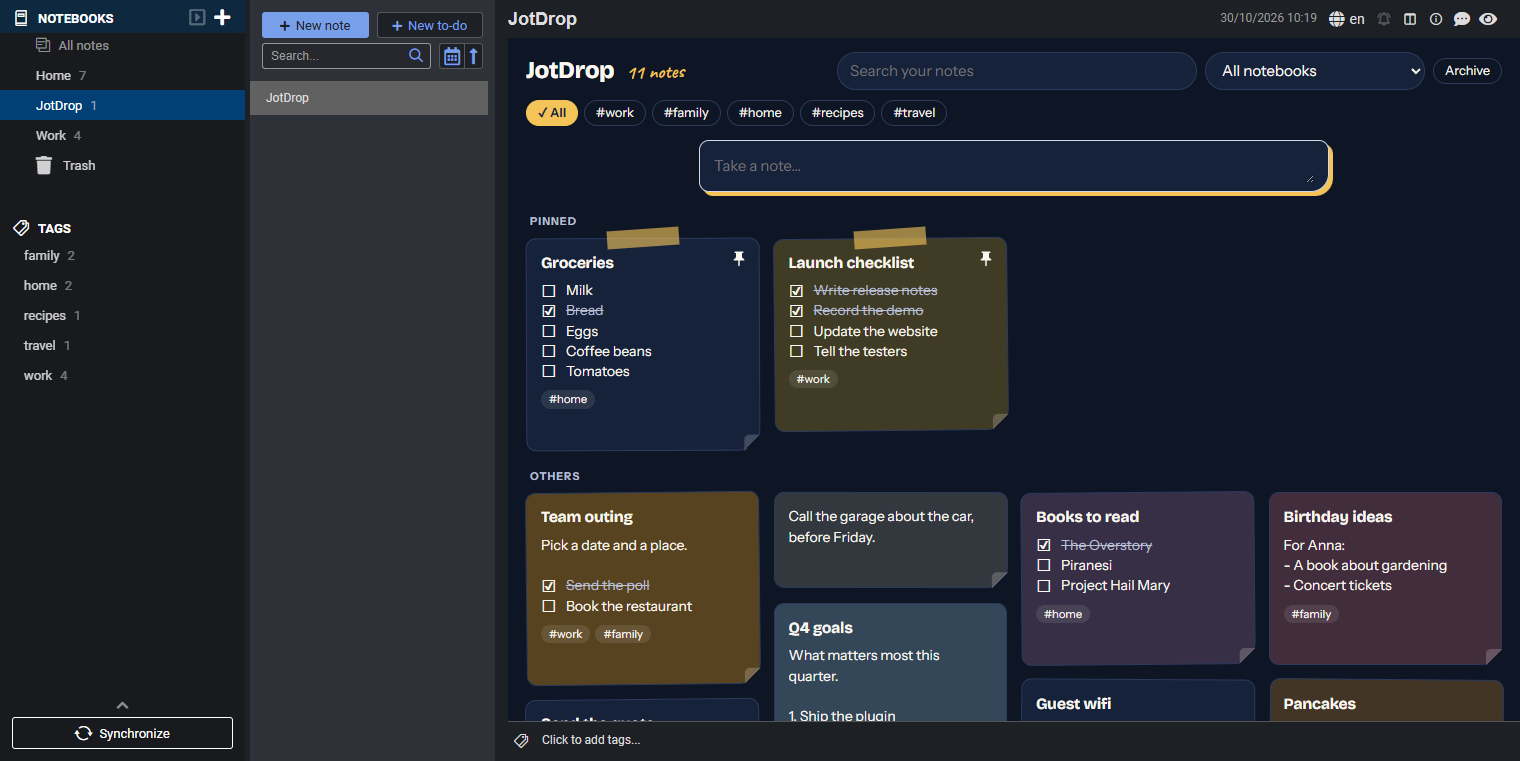
On the board you can pin a note, give it a color and drag it where you want it. You can tick checklist items and set a reminder (Joplin's own to-do alarm) without opening the note. Cards show the first photo, tags and due date. There's search, a filter by notebook or tag, an archive, and a box at the top for a quick note. I tried it with 5,000 notes on desktop and 2,000 on Android; the board only loads the cards near your screen.
To install on desktop: Tools > Options > Plugins, search for JotDrop. On Android: Configuration > Plugins, Enable plugin support, then search. Open it with View > Open JotDrop board, or the puzzle button on Android. It doesn't work on iPhone and iPad, because Joplin only allows its recommended plugins there.
Something you should know before connecting anything: JotDrop also has an Android app and an end-to-end encrypted cloud, and the paid plan of that cloud is how I earn money. New in 1.1, you can connect the cloud on Joplin desktop with a pairing code. What you make in the app (text, photos, voice memos) then shows up as normal Joplin notes. It only goes one way. You choose whether you want only new notes or everything, and a note you changed in Joplin doesn't get overwritten. The plugin counts as a device, and the free plan allows 2.
You don't need any of that for the board. Without the cloud it needs no account and makes no network requests.
It's free and MIT licensed: plugin page, code on GitHub.
On Android I've only tested on my own Xiaomi and an emulator, so if it misbehaves on your phone, please tell me what you see.
